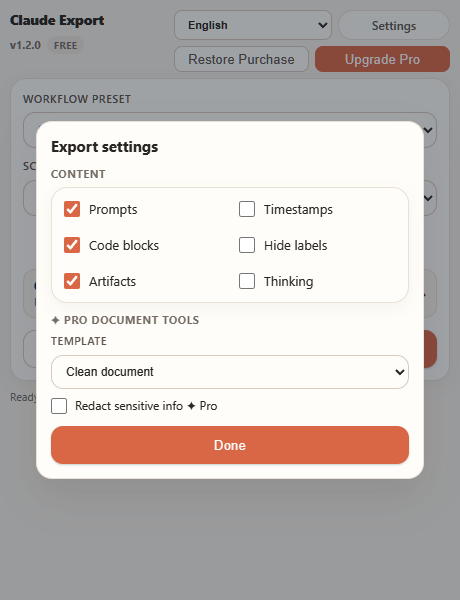
Features
Export formats, scopes, bulk export, Notion sync, readable documents, Pro controls, and license management.
Open pageFor thinking worth keeping
Keep searchable PDFs, editable Word documents, captured artifacts and local backups. Choose the messages that matter and start free without an account.
Install from the official browser store, then open any Claude conversation and export from the inline controls.
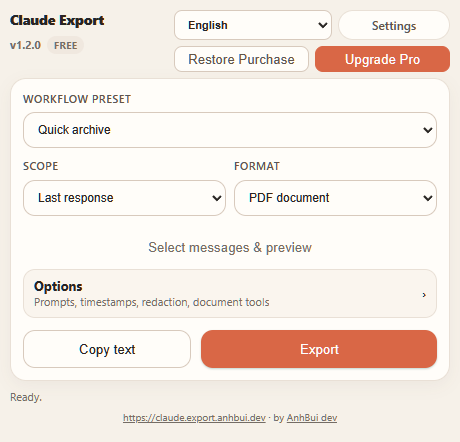
Each area now has its own page, so visitors can move directly to product details, pricing, support, or policy information.
Export formats, scopes, bulk export, Notion sync, readable documents, Pro controls, and license management.
Open pageCompare Free, Monthly, Yearly, and One-time Pro access with sale pricing when available.
Open page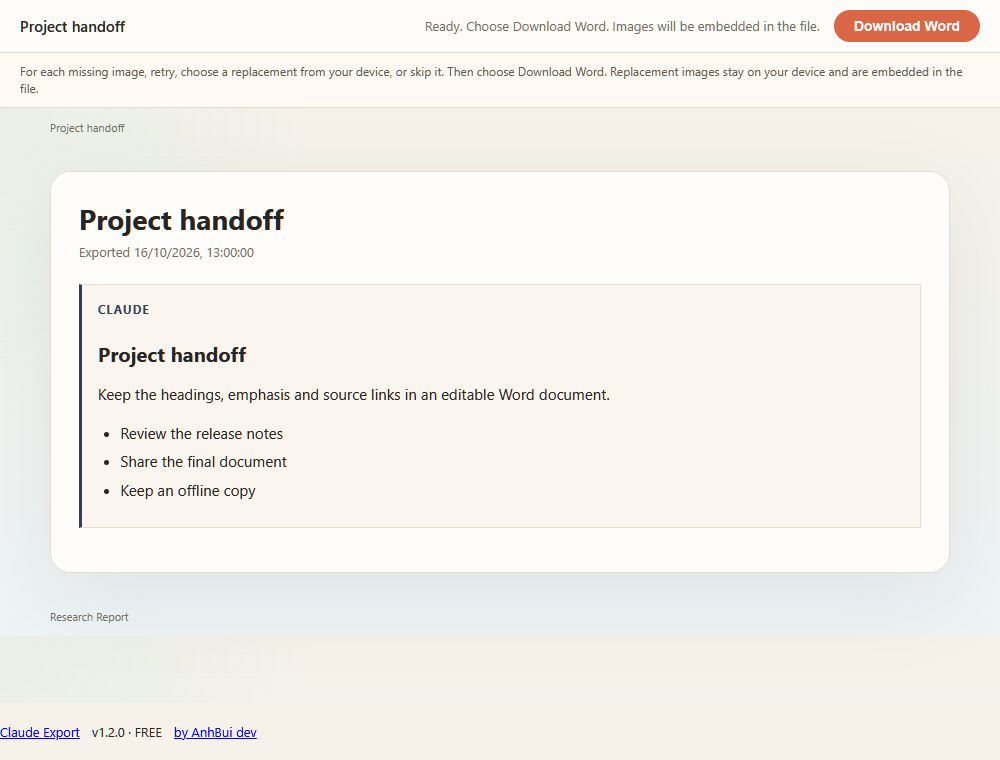
See the Chrome and Claude-screen workflow from conversation to exported file.
Open pageReach support for restore, purchase, cancellation, and export questions.
Open pageReview license rules, subscriptions, content responsibility, and availability notes.
Open page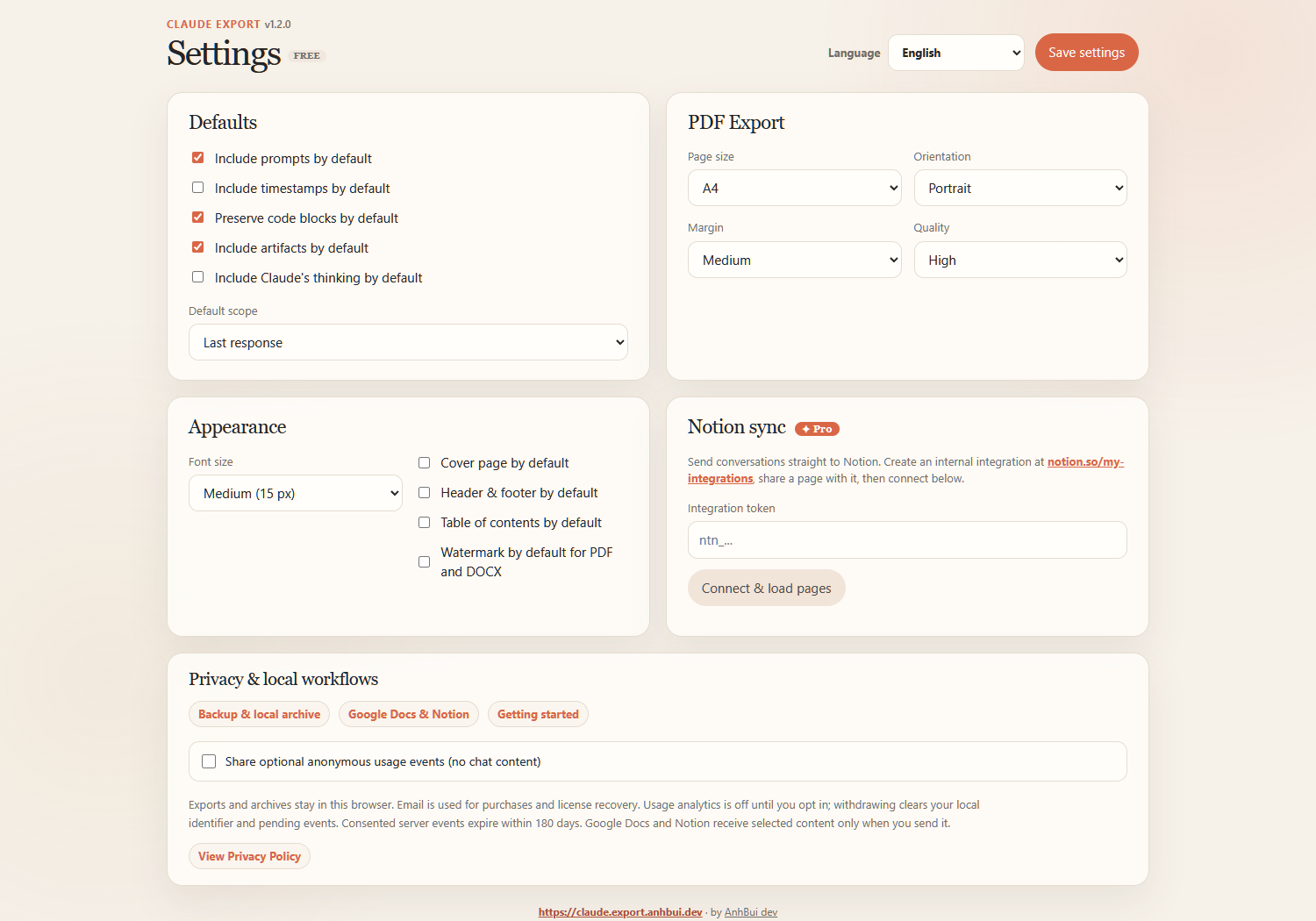
Understand what stays in the browser and what the backend stores for licensing.
Open pageChoose your pace
Free covers occasional exports. Pro removes the friction once Claude becomes part of your regular work.
Use Pro when you need more than a one-off file: finish whole threads, control the document, and keep a durable local record.
Compare every capability
| What you can do | For occasional savesFreeCore exports, no account required | For regular workPro ✦Unlimited threads, document controls, and backups |
|---|---|---|
| Clean individual PDF, Word, Markdown and text | Included | Included |
| Full-conversation downloads/copies | 5 per 30 days | Unlimited |
| Basic native PDF printing | Unmetered; full threads attributed | Unmetered |
| Advanced native PDF | Requires verified Pro; no trial | Included |
| Advanced exports to try | 5 confirmed downloads/copies; excludes PDF | Included |
| Visual message picker and preview | Preview; non-PDF advanced export uses trial | Included |
| Templates, redaction and branding | Trial in non-PDF formats | Included |
| Bulk / incremental backup and local archive | Requires Pro | Included; user-assisted downloads |
| Notion and Google Docs | Requires Pro | Notion; Google Docs needs OAuth setup |
Answers to the most common questions about formats, privacy, and pricing.
Yes. Free copies individual responses to clipboard without limit and exports to PDF, DOCX, TXT, or Markdown — no account, no signup. Basic single-response files are watermark-free; full-conversation downloads/copies are limited to 5 every 30 days and retain attribution on Free. Basic native PDF printing is unmetered. Advanced PDF requires verified Pro because print save/cancel cannot be observed; 5 advanced trial credits cover confirmed downloads/copies in other formats. Pro removes the watermark and the limit, and unlocks every format, custom ranges, and document controls.
Yes. Alongside monthly and yearly plans, Pro offers a one-time lifetime license: pay once, keep Pro forever, with no renewals.
Standard exports are generated locally in your browser. If you choose Send to Notion, the selected conversation is sent directly to Notion using your own integration token. Optional Google Docs sends only the chosen content directly to Google after OAuth connection. Our backend handles billing, licensing, optional usage events and support; it never receives your chat content.
PDF, Word/DOCX, Markdown, HTML, TXT, JSON, ZIP, and direct copy to clipboard. PDF and HTML retain rendered headings, lists, tables, and code blocks when Claude provides them; DOCX creates an editable document version.
Artifacts are included by default. The code, documents, and files Claude builds in its side panel are saved with the answer instead of being left behind, keeping their title and language. Claude's thinking is off by default and can be turned on in the popup or the settings page when you want the reasoning as well as the result.
We email you straight away with a link to update your payment method, and Pro keeps working for a short grace period. If the invoice is paid in that time nothing changes. If it is not, the licence returns to Free until the payment goes through, and Pro is restored automatically once it does.
Yes. Pro includes bulk export, so you can select multiple conversations — or your whole history — and save them together in a single ZIP.
Checkout automatically activates Pro in the browser that completed it when the extension is installed. On another device, install the extension, open the popup, and restore your purchase with a one-time email code. Pro works on up to 3 devices with no account signup.